Smartphone Ticket Information
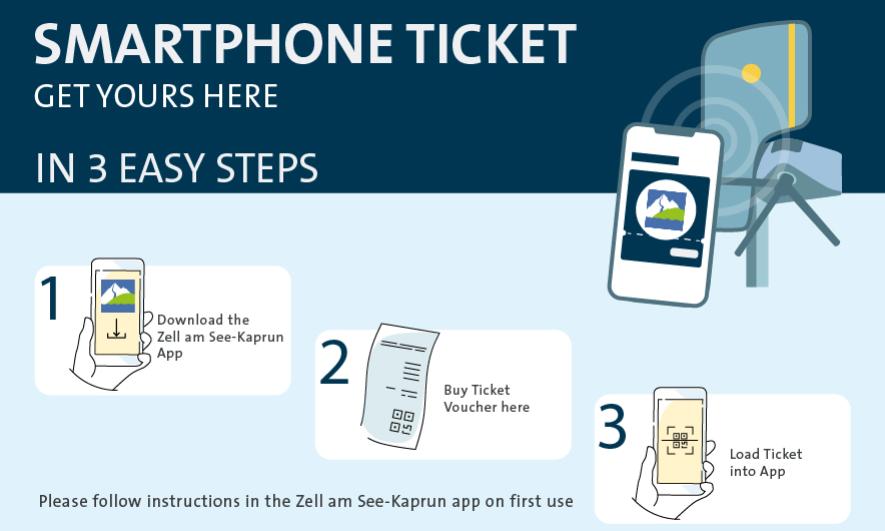
1. Download the Zell am See-Kaprun App to your mobile phone.
2. Purchase your ticket in the online shop.
3. Add your ticket to the app.
You can do this by scanning the QR code or by using the direct download link in your online shop confirmation.
If you purchase multiple tickets at once:
Forward the order confirmation email to the respective person. They can then either open the ticket link included in the email or scan the ticket QR code from the email.
⚠️ IMPORTANT: Each QR code can only be scanned once! Anyone who wants to use a smartphone ticket must have their own smartphone and the Zell am See-Kaprun app!
💡 If the ticket has already been loaded into the app, an inactive ticket can be shared via the function “Share” with another email address that is registered in the app.
To ensure smooth access, please follow these important instructions:
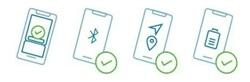
- Open the app and activate your ticket (do not close the app while using it).
- Enable Bluetooth.
- Grant all required permissions (e.g., location services).
- Make sure your phone is fully charged.
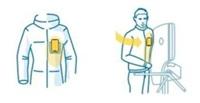
- When passing through the turnstile, hold your phone on the left side of your body, at chest height, with the antenna facing upwards. For best results, remove any phone case.
Tips & Tricks for a smooth experience:
- Make sure you don’t have another keycard in your pocket (even if it’s old or no longer valid). Keycards may be detected before your mobile phone at the turnstile, which will prevent access.
- 🔋 Keep your battery charged (if it’s below 30%, recharge in time or contact the staff).
- Some phone cases may block the signal transmission – if necessary, remove the case.
- An internet connection is only required for the purchase, not for use at the turnstile.
💡 Note: Smartphones from HUAWEI, OPPO, and ONEPLUS are not compatible and cannot be used with smartphone tickets.
SCHMITTENHÖHEBAHN AG
Salzachtal-Bundesstraße 7,
5700 Zell am See
+43 (0) 6542 789 211
schmitten@schmitten.at
www.schmitten.at